

Search in fields that are not displayed - Frontend Data Views
This feature is part of the Visforms Subscription and not available in the free Visforms version..
The Visforms Subscription adds powerful search filters to your frontend data views. Since the Visforms Subscription 3.1.0 it is now possible to include fields into the search, without actually displaying the fields in the data list. This is achieved with a new field option "Only for use in search" which you can find in the field configuration, tab "Advanced" in the "Usage" block.
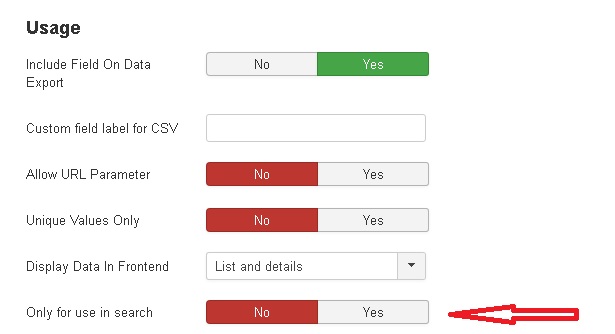
In order to make this feature work properly you have to make sure that
- You have set the option "Display Data in Frontend" to "List only" or "List and Detail"
- You have set the option "Only for use in search" to "yes"
If you want to use this feature with data views, that are created with the Content Plugin Data View, you must add a new parameter to your plugin string, too. Please see the plugin documentation for further instructions.
Please note: This feature does not work with the menu item type "Visforms >> My Submissions"